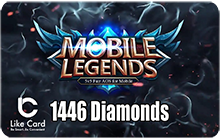
Mobile legends Gift Card Diamonds 1446
If you seek to excel in Mobile Legends and become a legend, you must unlock the strongest characters, and have great resources. Now with Mobile Legends cards you can. we provide you with Mobile Legends Cards prepaid cards to charge your account on Mobile Legends game to enable you to buy everything you need from powerful characters, advanced weapons and costumes that match your personality. It is available with different offers and prices to meet the needs of all players. Just pay in completely safe ways and get your card to enjoy the game without limits.
Steps to use
How to redeem Mobile Legends cards:
1- Log onto the website of MLBB: https://m.mobilelegends.com/en/ - Find the ‘Redeem’ button on the right corner and click it.
3- Enter your Game ID and click the ‘Send’ button. Then you will receive a verification code in your in-game mailbox.
4- Enter the code you receive from the in-game mailbox.
5- Finally, enter the 17 digits redemption code and click ‘Redeem’. The item will automatically be sent into your in-game mailbox.
1- Log onto the website of MLBB: https://m.mobilelegends.com/en/ - Find the ‘Redeem’ button on the right corner and click it.
3- Enter your Game ID and click the ‘Send’ button. Then you will receive a verification code in your in-game mailbox.
4- Enter the code you receive from the in-game mailbox.
5- Finally, enter the 17 digits redemption code and click ‘Redeem’. The item will automatically be sent into your in-game mailbox.
Terms and Conditions
- This product is valid for use in all countries